The Best AI Music Generator
Click me to go to the top
We independently test and review leading AI tools. When you buy through our links, we may earn a commission.  Learn more.
We independently review leading AI tools. When you buy through our links, we may earn a commission. Learn more.
Content generation
>
Audio generation
>
The Best AI Music Generator

The Best AI Music Generator

Updated
Published
November 25, 2025

Suno is our top pick as the best sounding AI music generator. I put six top AI music generators—Suno, Eleven Labs, TemPolor, Udio, Loudly, and Musicfy—to the test to see which one deserves your attention.

Image:
Jake Casabuena
Creative content writer, editor, and full-blown hobbyist.
What's new
After testing Eleven Labs music, we've added it to our picks.
November 2025

Ranked: AI Music Generators

| Tool | The good & the bad | Best for | Pricing | |-------------------------------------------|-----------------------------------------------------------------------------------------------------------------------------------------------------------------------------------------|---------------------------------------------|-----------------------------------------------------------| | Suno | ➕ Follows prompt accurately
➕ AI music with vocals feature
➕ Great value pricing plans
➖ Audio quality needs improvement | Generating prompt-accurate songs | Free up to 10 songs daily; Pro plans from $8/month | | ElevenLabs | ➕ Best sounding AI music generator
➕ Smooth and efficient workflow
➖ Lacks features | Generating the most natural-sounding AI music | Free up to 4 songs daily; Basic plans from $11.92/month | | TemPolor | ➕ Generates natural-sounding AI vocals
➕Paid plan includes library of 200,000 royalty-free tracks
➖ Watermarked downloads for free trial | Creating and discovering AI music for content creators | Free up to 10 songs daily; Lite plans from $5.59/month (discounted) | | Udio | ➕ Plenty of song adjustment controls
➕ Generous free version
➖ Instrument audio quality needs work
➖ Needs tweaking to get good results | Generating songs with good melodies | Free up to 10 songs daily; Standard plans from $10/month | | Loudly | ➕ Included customization features
➕Great audio quality
➖ Loudly’s AI lacks accuracy with the given prompt
➖ No feature for generating music with vocals
➖ Free version is quite limiting | Creating background music | Free up to 25 songs per month; Personal plans from $5.99/month | | Musicfy | ➕ Works great for creating short audio clips
➖ Limited audio generation length
➖ Accuracy of generated audio with the prompt needs improvement | Creating sound bites | Free 15 songs per month (up to 15 seconds max per generation); Starter plans from $9/month |

AI technologies and tools continue to improve and become increasingly smarter every day. Recently, we have witnessed how AI dipped its toes into the creative field with tools that can create or generate images, videos, art, and most importantly for me, music. An article I read from a16z, a venture capital firm, discussed how generative AI is transforming the music industry, which piqued my interest.

AI voice changers and AI-generated music were already creating waves on social media. Still, after learning more about how AI is shaping the music world, I became even more curious about AI-generated music. I decided to search for the best tools in this category. 

Now, like many others, I was concerned about the possibility of AI taking over the music industry. Still, after testing these tools out and giving them a chance, I quickly realized that AI-generated music has its place to fill in this industry. Writing and creating songs demands a lot of time and expertise, especially since there are many things to learn and consider to come up with something usable.

Songwriting is no easy feat, which is why the availability of these tools gives musicians like me a new avenue to bring my ideas to life. Now, whenever I find myself lacking in creative energy or suffering from writer's block when writing songs, I give these tools a try to bring the songs I envision in my mind to life.

In my search for the best tool for AI music generation, I ended up with six of the top tools and compared them to determine which one resonated with me the most.

{{review-toc}}

How we picked these tools

We cast a wide net to identify the tools that people are already using. Firstly, we prioritised tools that have a substantial and active user base. A high number of monthly users indicates that the product is highly reputable and has resonated with many writers. We also scoured online communities where authors gather, such as Reddit and Facebook groups. 

The ongoing discussions and reviews about these music generators provided us with a clearer picture of their opinions. Finally, we also reviewed other sources, particularly those from reputable companies. Those who consistently receive positive feedback have easily made it to our shortlist.

With numerous excellent AI music generators available, selecting just a few for this review proved challenging, as each tool offered unique strengths and functionalities. Ultimately, we narrowed down the selection from eight to six by examining what sets them apart from the others. Although Mureka and Producer AI are fantastic tools with a decent amount of following, they unfortunately didn't make the cut.

Mureka did a great job generating lyrics for the prompt, but unfortunately, the output isn't in the genre I specified. It generated something closer to a modern pop mix, unlike the 80s hip hop style that I was aiming for. Still, the vocals and the instruments sounded decent, although not as good as our top picks for this roundup. 

Another tool that didn't make it to the list is Producer.ai. While I was generally pleased with its output, it had a similar problem to Mureka. What was generated wasn't accurate to what I specified in the prompt I used. While the song it generated sounds much closer to the prompt I've given it compared to Mureka, it sounded more like a modern take of an 80s hip-hop song rather than sounding straight out of that era.

How I tested these tools

For this test, I ran the same prompt across all platforms to see which tool could deliver the most accurate result. The prompt I used was, “Create a hip-hop song from the 80s.” This provides each tool with the same challenge, allowing for a fair comparison in terms of creativity, authenticity, and output quality.

Although some of the tools on this list offer mobile app versions, with Suno being one of the most popular, I will be using only the website versions for every platform. This creates a consistent testing environment, removes hardware and app-related variables, and ensures that all results are tested under the same conditions.

Key considerations

Accuracy +

We evaluated how closely each tool adhered to the song prompt. While some variation is expected with large language models, especially for artistic tasks, the generated music should still align with the requested genre, tone, and overall appeal.

Ease of use +

These tools should provide a smooth, intuitive experience that helps users shape their ideas easily. A well-balanced interface—functional yet visually clear—is essential to avoid clutter and ensure that creating music remains enjoyable rather than overwhelming.

Audio quality +

Since many creatives rely on high-quality audio for professional projects like videos, we assessed whether the generated music meets standards for clarity, richness, and overall production quality.

Value +

We examined how much functionality each tool offers in its free version, as well as the usefulness of premium features. This helps determine which tools deliver the best price-to-performance ratio for both casual and professional users.

Features +

Beyond instrumental generation, we looked for additional creative tools such as customization options, vocal and lyric generation, and other enhancements that support a more complete music-making workflow.

1. Suno

Best for generating prompt-accurate songs

Listen to the music it generated
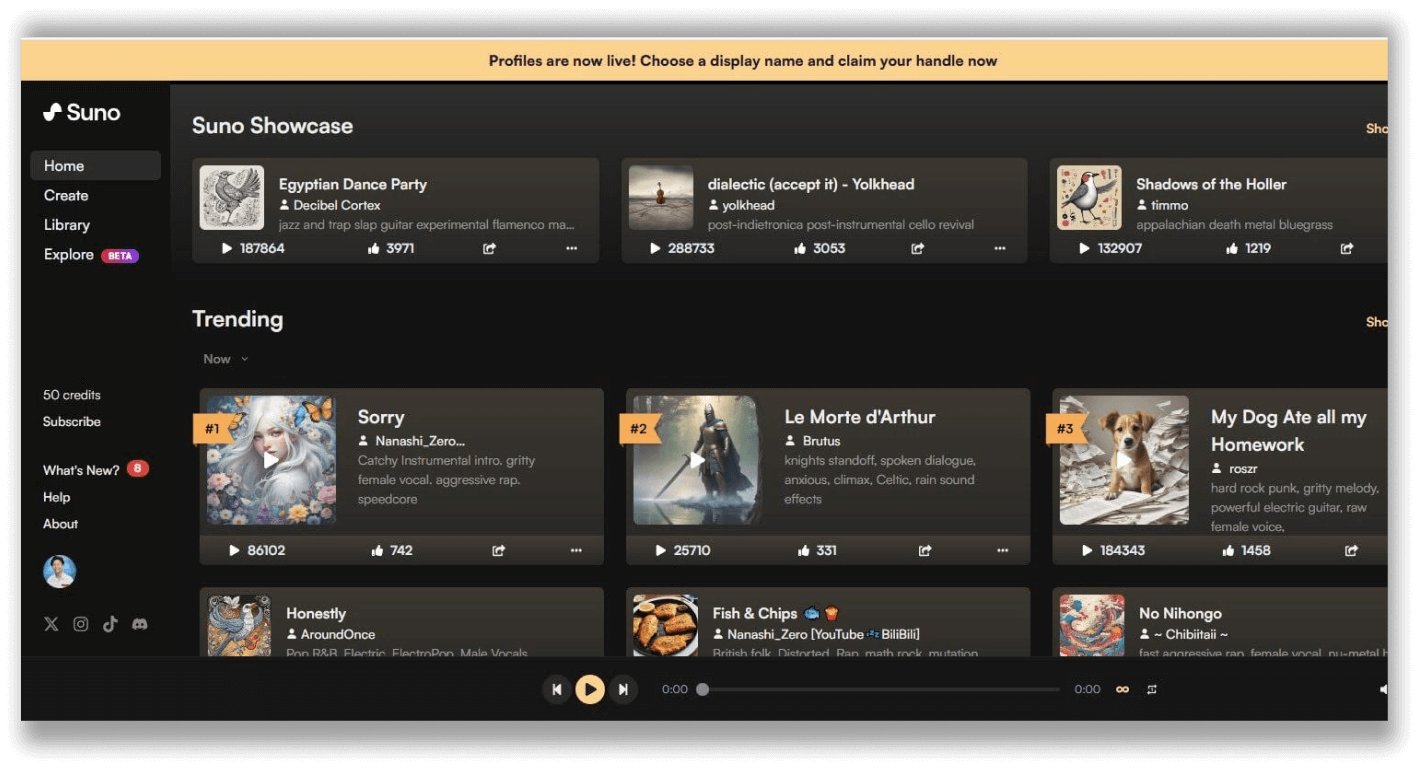
Suno’s homepage features trending songs it has generated for other users and also allows you to explore different categories of music it can create

The Good
Generated audio is accurate to the prompts I’ve used
Allows for generating music with vocals and lyrics
The basic version allows for plenty enough song generations for the average user
The Bad
Audio quality needs a bit more improvement in terms of how organic and natural the instruments sound
Pricing
Basic: 50 credits (equivalent to 10 songs)
Pro: $8/month for 2,500 credits (equivalent to 500 songs)
Premier: $24/month for 10,000 credits (equivalent to 2,000 songs)

5Accuracy
+

Suno works well with the prompt we used and was able to deliver excellent results without requiring much tweaking of the prompt.

5Ease of Use
+

Suno is straightforward to use; not only is it accurate, but it also features a simple workflow, allowing you to generate any song you want without spending a lot of time.

5Audio Quality
+

Suno produces good-quality audio with instruments and vocals that sound realistic most of the time. Vocals can sometimes feel metallic or artificial, especially on longer songs. You can separate instruments easily for remixing or editing.

5Value
+

Suno delivers substantial value. For a relatively low monthly cost, you get high-quality songs, fast generation, and commercial rights. Credit rollover is weak, so unused tokens can feel wasted, but the overall value per song is still among the best in the AI music space.

5Features
+

Generates full songs from text with vocals and instruments. Offers stem splitting, remastering, covers, persona generation, voice reuse, lyric generation, and song extension. Studio-quality output ready for commercial use.

Suno is one of the most impressive AI tools I've used and the best tool for AI music generation I've tested. What started as a Discord plugin (just like Midjourney) eventually led to a standalone website for AI-generated music. Suno is also the most popular tool among AI music generators, with a whopping 22 million monthly site users. 

My experience with Suno was a real treat; as the first tool I've tested in the AI music generator category, its capabilities blew me away. The site's design was captivating, as it immediately made you want to try out every possible feature the tool had to offer. It was like a child given the newest and coolest toy, and I certainly played around like one with Suno.
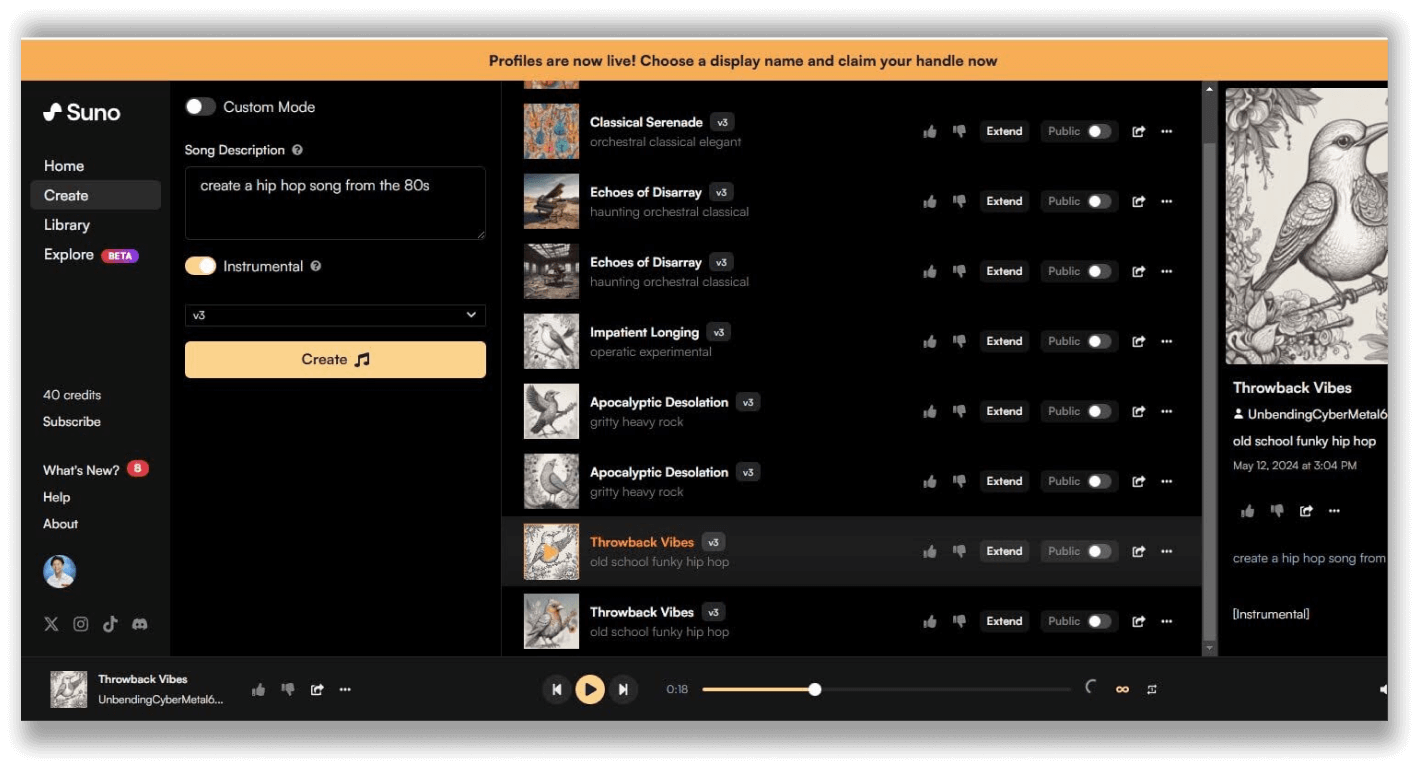
Suno’s AI can generate songs with just a simple description or a prompt.

Once I got over my child-like excitement, I shifted my focus to running the prompt I had prepared, and it was scary how close Suno's AI got to the song it generated. I've generated two tracks, one featuring vocals and the other instrumental, for the test. The output captured what I envisioned in my mind. 

Suno's basic plan is very generous in terms of the monthly number of songs you can generate. For my use case, Suno's basic plan was sufficient, as I was looking to use this tool exclusively to convey my song ideas. Still, if you're considering using the generated content for commercial use, it would be ideal to subscribe to Suno's pricing plans.

Additionally, if you're seeking a collection of helpful prompts for Suno, consider checking out this article by Travis Nicholson on Medium.com. 

I recommend checking Suno and trying it out to see where your creativity, combined with this tool, gets you.

2. ElevenLabs

Best for generating the most natural-sounding AI music

Listen to the music it generated
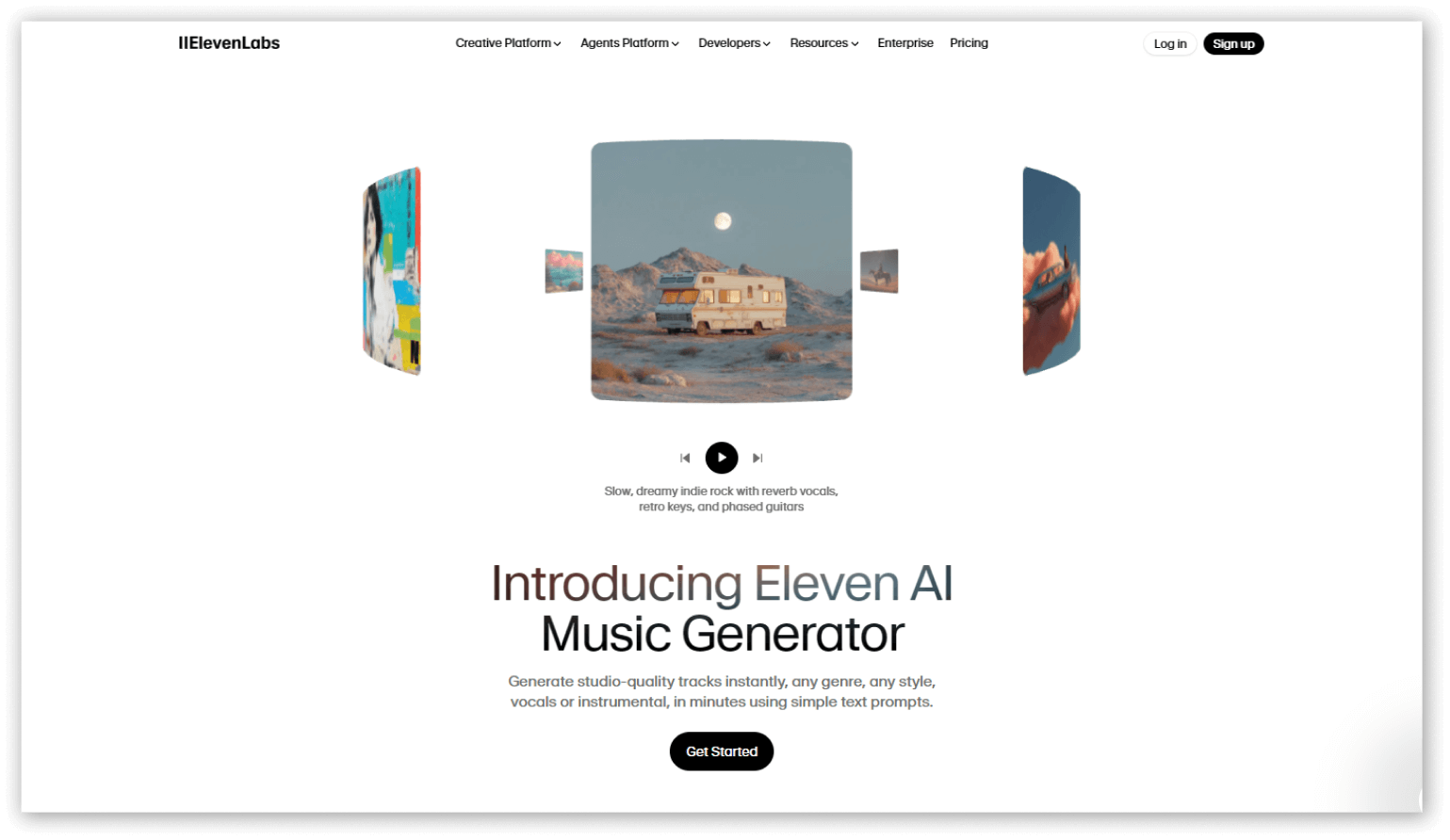
Eleven Labs recently introduced its own AI Music Generator. I'm a fan!

The Good
Has the most realistic recreation of instruments and vocals.
Generating music is easy due to the AI model's responsiveness to the prompts you provide, requiring only minor tweaks to get closer to your vision.
The Bad
Lacks creative flexibility and editing tools for better song shaping.
Pricing
Free: 4 songs per day (≈120 songs per month), no downloads
Basic: $11.92/month — 600 songs per month
Standard: $23.92/month — 1,000 songs per month
Pro: $39.92/month — 2,000 songs per month

5Accuracy
+

Eleven Labs were able to accurately generate what we envisioned with just the simple prompt we've used. It was accurate both in genre and appeal, efficiently catching the 80s hip-hop vibe that we're looking for.

5Ease of Use
+

Eleven Labs is pretty straightforward, although it isn't as intuitive as Suno. It leans into a more structured workflow and control, which may be overwhelming to some casual users. Newcomers need to spend a couple of minutes to utilize it to its full potential.

5Audio Quality
+

Eleven Labs' Eleven Music creates great, high-quality audio with vocals that sound realistic and expressive. The instruments are balanced and very organic, and the overall sound feels polished. Tracks are ready for professional or commercial use, making it one of the most reliable AI music tools.

5Value
+

More expensive than most, but you’re paying for professional-grade output, reliability, and strong licensing. It’s an excellent value for serious creators who need volume and quality, but casual users may find the pricing too high for occasional use.

4Features
+

Creates songs with realistic vocals, multiple languages, and structured parts (verse, chorus). Supports editing sections, tweaking lyrics, and high-quality exports with commercial rights.

A while ago, ElevenLabs introduced Eleven Music. It's an AI music generator designed to compete with the leading tools in this space. I tested it and it did not fail to amaze me. I was particularly struck by how intuitive it was to work with and the quality of the audio it generates.

Suno has been my go-to AI tool for music generation for a long time; it's ease of use and I appreciate that it has an active community where users share helpful tips and tutorials. However, after trying ElevenLabs' own AI music generator, it's hard to deny just how well Eleven Music performed for my specific needs.

I've been searching for a tool with better audio quality, and while Suno remains my top pick, Eleven Music also stands out to me for its quality of the instruments and vocals. When I ran similar prompts through both tools, the audio fidelity on both tools stands out as a cut above the rest. Eleven Music offers similar features to Suno, such as lyrics and song section editing, all in an interface that works smoothly without becoming overly complicated.
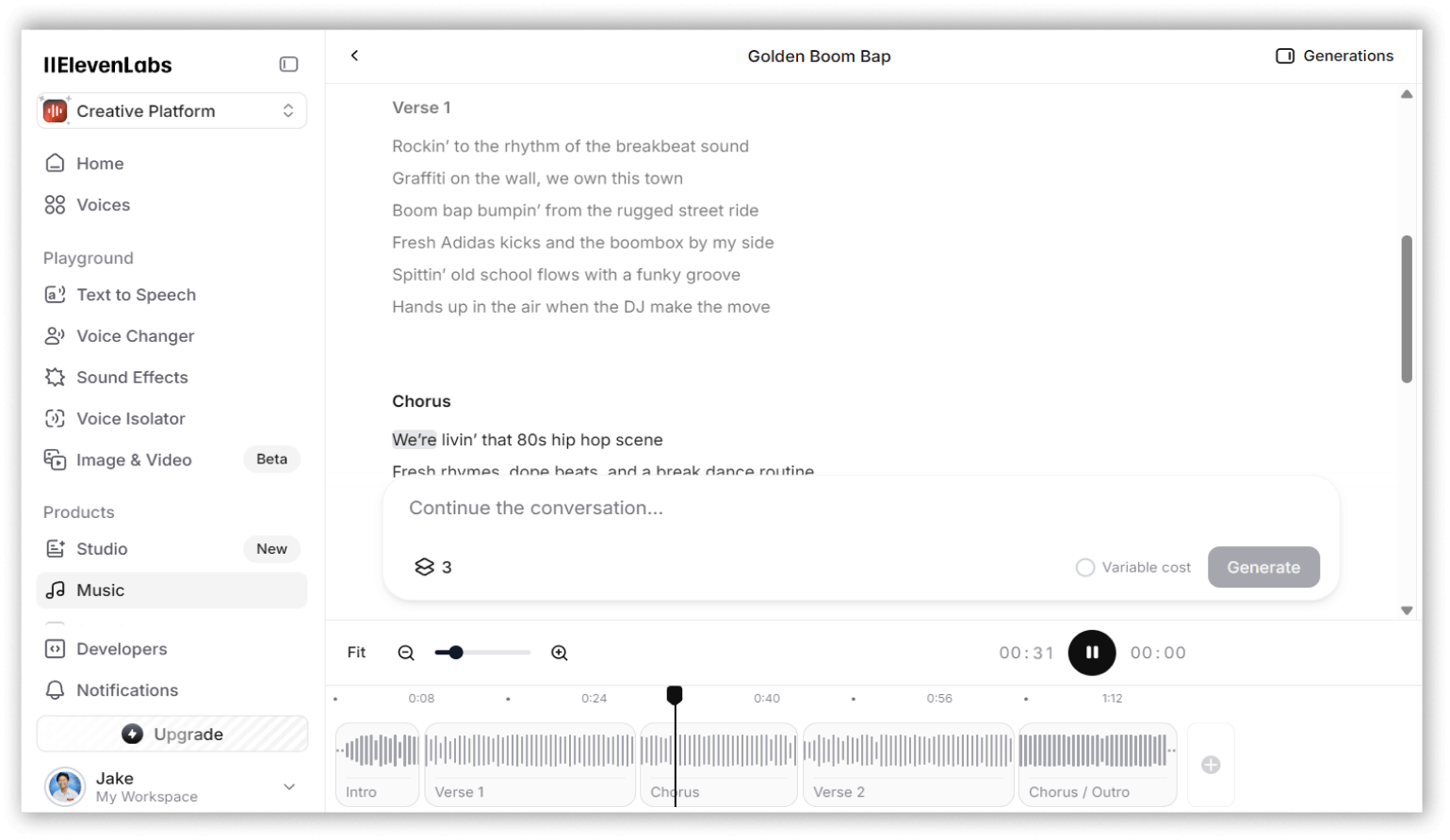
ElevenLabs' user interface is easy on the eyes, and with one look, you can easily adapt to its workflow, thanks to how well designed it is

There are certain features that Suno has that may be best suited to other users' workflows, such as being able to hum or upload a recording of your tune and letting Suno work around it. Still, I found Eleven Music to be much more responsive to my prompts, which brings me closer to the results I am looking for and saves me time piecing together sections for the song I am creating. The most noticeable difference, though, is how organic the voices it generates sound compared to Suno—they just sound more realistic to my ears.

While Suno remains my top choice overall for its extensive feature set and the results matching my prompts the closest, Eleven Music excels where it matters most: audio quality. I expect Eleven Music will become even better as they continue to roll out updates and add new features, as they're just getting started. If you're looking to achieve excellent-sounding results just from prompts alone, Eleven Labs' Eleven Music might be exactly what you need.

Check out ElevenLabs' Eleven Music and test it out for yourself, and see where your creativity leads you.

3. TemPolor

Creating and discovering AI music for content creators

Listen to the music it generated
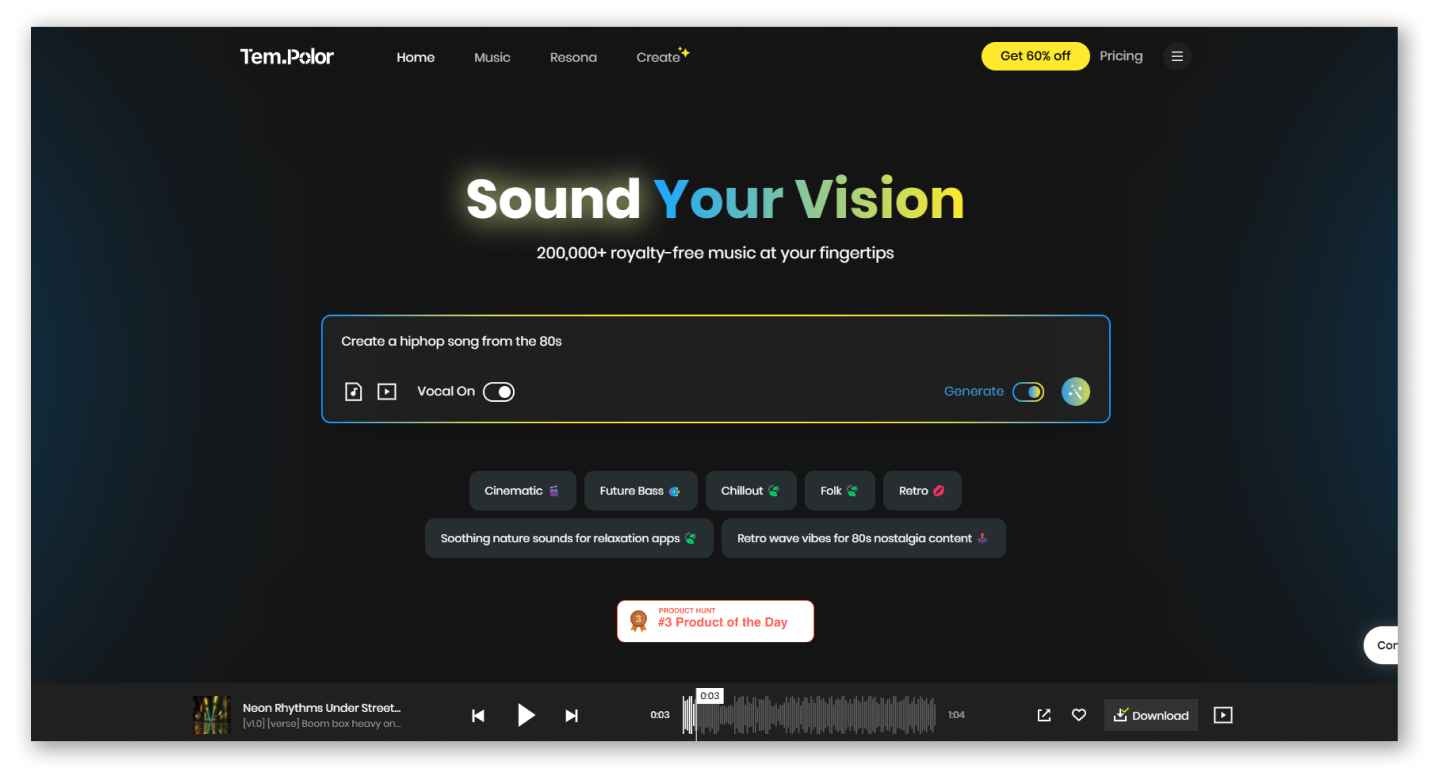
TemPolor allows you to use prompts, audio, and videos as a reference for their AI in generating songs.

The Good
Generates good beats and natural-sounding vocals relative to most AI music generators I’ve tested
Platform includes a library of 200k easily searchable tracks that can be used in your content
TemPolor’s pricing plans are more affordable and allow for more song generations compared to most other platforms
The Bad
The free trial version limits users by adding a watermark to generated songs
Pricing
Free: 10 song generations per day. Watermarked download
Lite: $13.99 for 1,000 songs per month
Pro: $19.99 for 3,000 songs per month
Ultra: $39.99 for unlimited songs per month

3Accuracy
+

Tempolor's generated audio were not as accurate in terms of genre compared to Suno and Eleven Labs. Although we were able to achieve better results with more elaborate prompts, this would require tweaking the prompt, which would result in unfair testing.

3Ease of Use
+

Tempolor is simple to use, but compared to bigger platforms such as Suno and Eleven Labs, it can feel quite rough and unpolished. It does its job and isn't too complicated, but it doesn't feel as refined or beginner-friendly as its larger competitors.

3Audio Quality
+

Tempolor was able to produce clear audio with vocals and instruments that are mostly balanced. Although there are some minor glitches or odd sounds present with the output, the tracks are reliable and ready for content use. It’s not as polished as Eleven Music, but it still works well for most projects.

4Value
+

One of the best values for budget-minded creators. Low-cost plans, good features, and commercial usage make it ideal for YouTubers, podcasters, and content creators. It’s not flashy, but what you get for the price is impressive, especially if you need a lot of usable tracks.

4Features
+

Generates songs from text, MIDI, or video. Features voice cloning, lyrics generation, stem splitting, and song extension. All music is royalty-free and commercially usable.

TemPolor combines AI music generation with a stock library of over 200,000 royalty-free tracks under one monthly subscription. Its search feature supports natural-language prompts and even video references, which is helpful if you need quick background music for your content, e.g. YouTube videos, social media posts, podcasts, and more. 

Though TemPolor is a newer platform than our all-time favourite Suno, it performed really well in my test. Both platforms let you generate high-quality tracks with or without vocals that adhere well to your prompts; Suno is probably a bit better in following your prompt closely, though. With TemPolor you can also generate songs inspired by videos or images you upload, a feature that Suno doesn't have.
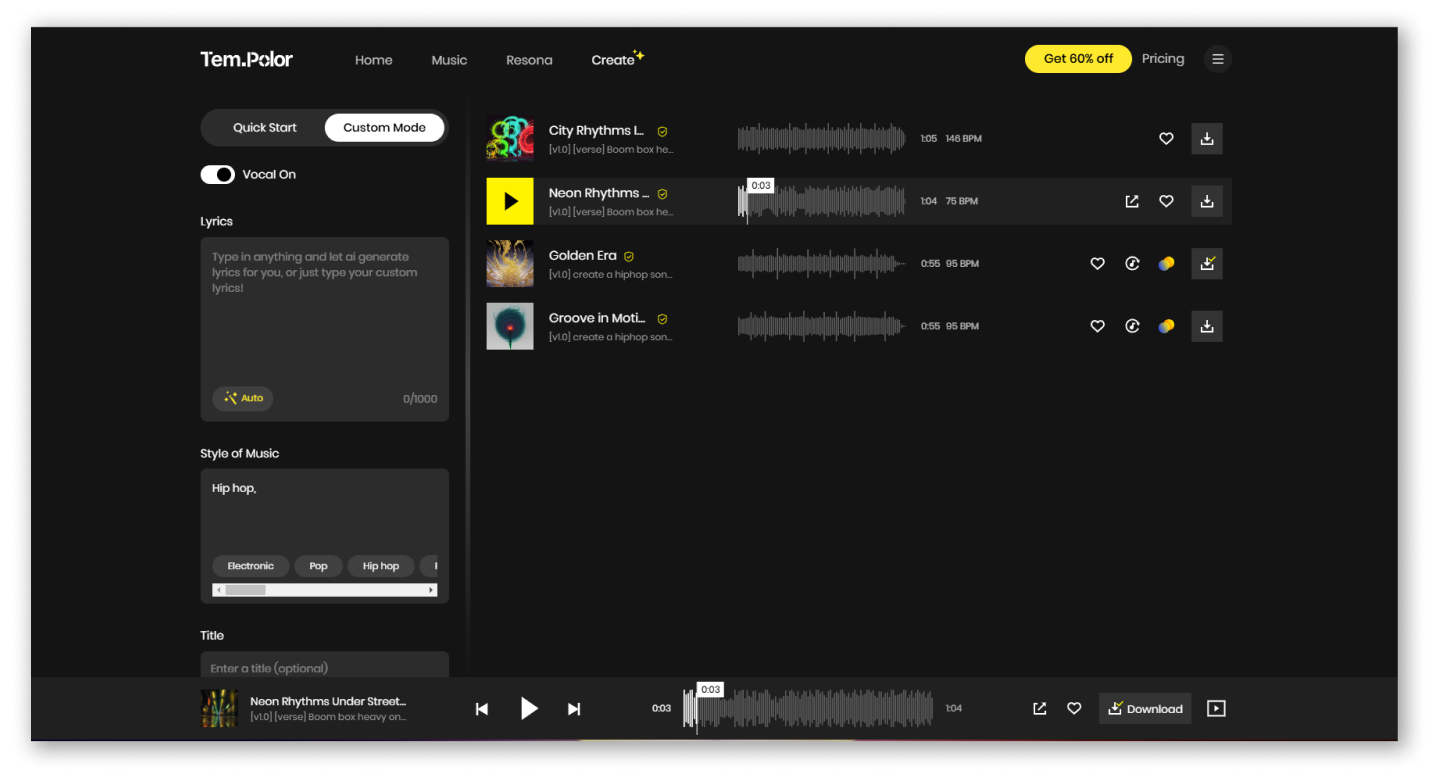
TemPolor’s custom music generation mode allows you to add your own lyrics and specify your preferred music type.

TemPolor’s track library of thousands of songs is also a big value-add. You can even use videos and images to search for songs, making it really easy to discover tracks that fit your content. 

One thing to note is that with Tempolor, you’ll need a paid subscription in order to download songs without a watermark — something Suno doesn't limit you with.

For its free trial, TemPolor allows you to test its core functions and limited selection of tracks and features. While this may seem scarce compared to what Suno offers, TemPolor's paid pricing plans give a lot of value for money—even the cheapest plan lets you generate 1,000 songs per month.

If you’re looking for an alternative to Suno, or primarily need background music for content, TemPolor may well be your best bet.

4. Udio

Best for generating songs with good melodies

Listen to the music it generated
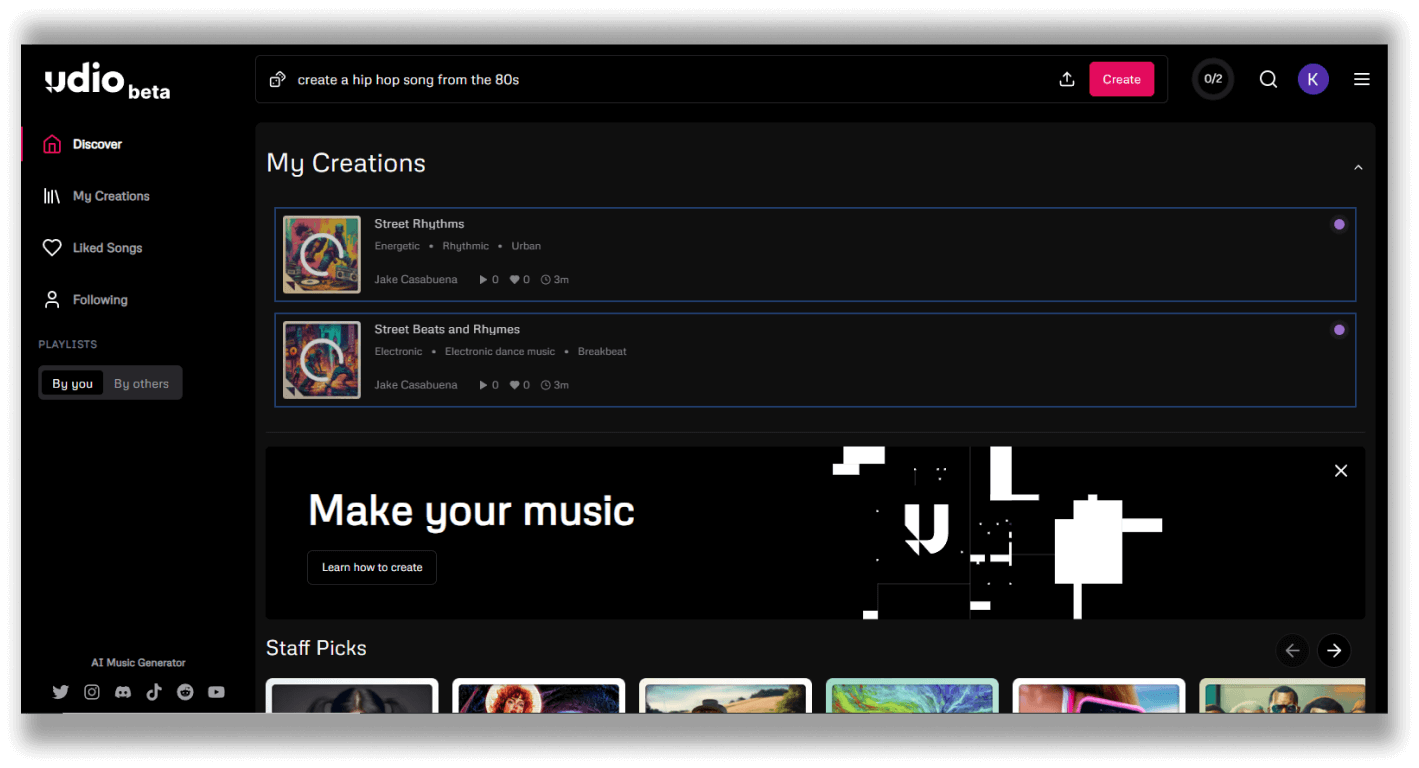
View your creations and the latest staff favorites on Udio’s homepage

The Good
Udio has many adjustment settings, such as prompt adherence and lyrics strength, to personalize your songs
Its free version is generous, allowing you access to most features
The Bad
The instrumentals on the song it generated showed some flaws and glitchy characteristics
To get the best results, tweaking and adjusting settings is required
Pricing
Free: 10 daily credits (equivalent to 10 songs), additional 100 credits per month
Standard: $10/month for 1200 credits (equivalent to 1200 songs), access to audio upload feature
Pro: $30/month for 4800 credits (equivalent to 2,000 songs), unlocks all features

4Accuracy
+

Udio's output was promising, as it managed to get close to what our prompt was asking for. But the vocals it generated were all gibberish, so it's not really ideal for that use.

4Ease of Use
+

Udio is modern, clean, and user-friendly. The learning curve is slight, and even first-time users can achieve good results quickly. The editing features are superior to those of many competitors, but some advanced controls are either hidden or limited.

3Audio Quality
+

Udio produces clear, rich audio with vocals and instruments that sound detailed and well-defined. Longer tracks can sometimes exhibit minor distortions, but overall, the sound is professional and usable. Some minor editing may be needed, but it works well for most projects.

4Value
+

Mixed value. The free plan is excellent, but limitations, especially when downloads are unavailable, hurt its usefulness. Paid plans aren’t too expensive, but some users may feel the platform hasn’t fully justified the cost yet. Great potential, but currently uneven depending on your needs.

2Features
+

Text-to-song with instruments and vocals. Now allows for lyric generation (updated), male/female voices, remixing, and song extension. Beginner-friendly and fast.

Next on our list is Udio. Udio officially released its free beta version in April 2024. It has already garnered a solid following of 15 million monthly users in just a short period.

In terms of quality, Udio is the closest tool to Suno – both of these are a step above the rest. Udio and Suno both allow you to generate songs with or without vocals and customize the lyrics and genre of the song you want to generate. Again, they both produce good quality outputs. However, I prefer Suno over Udio because it is easy to generate a good song that adheres closely to your prompt. However, with some tweaking of my settings, I found that the output turned out good and close to what I had in mind.
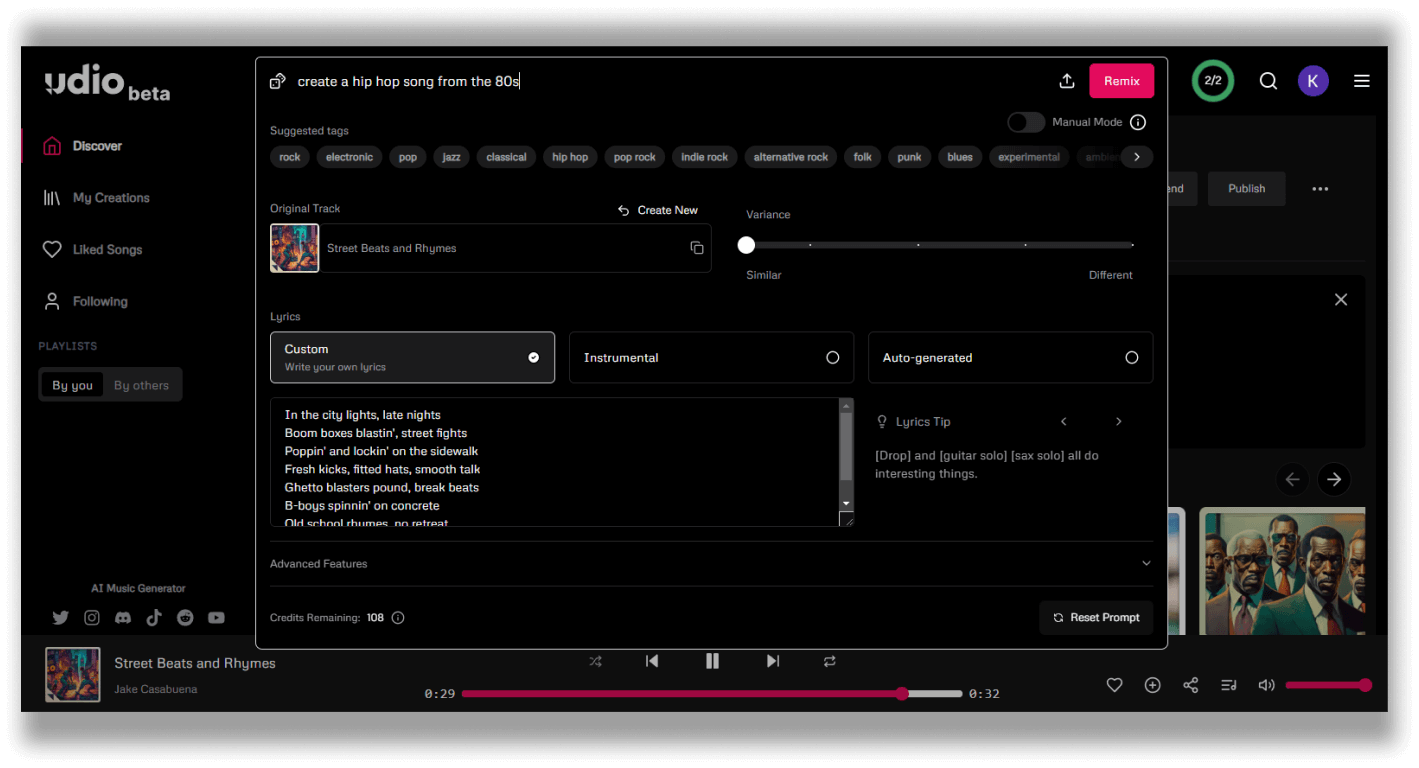
Change the lyrics, style of music, or maybe remix everything through Udio’s advanced settings

Udio's free version is very generous, considering you have access to most of its standard features. Udio gives you 10 credits per day, but if you want to generate more, fear not because you can consume an extra 100 monthly credits to get more than 10 songs.

I recommend checking out Udio if you're looking for a great alternative to Suno. Check them out through their website.

5. Loudly

Best for creating background music

Listen to the music it generated
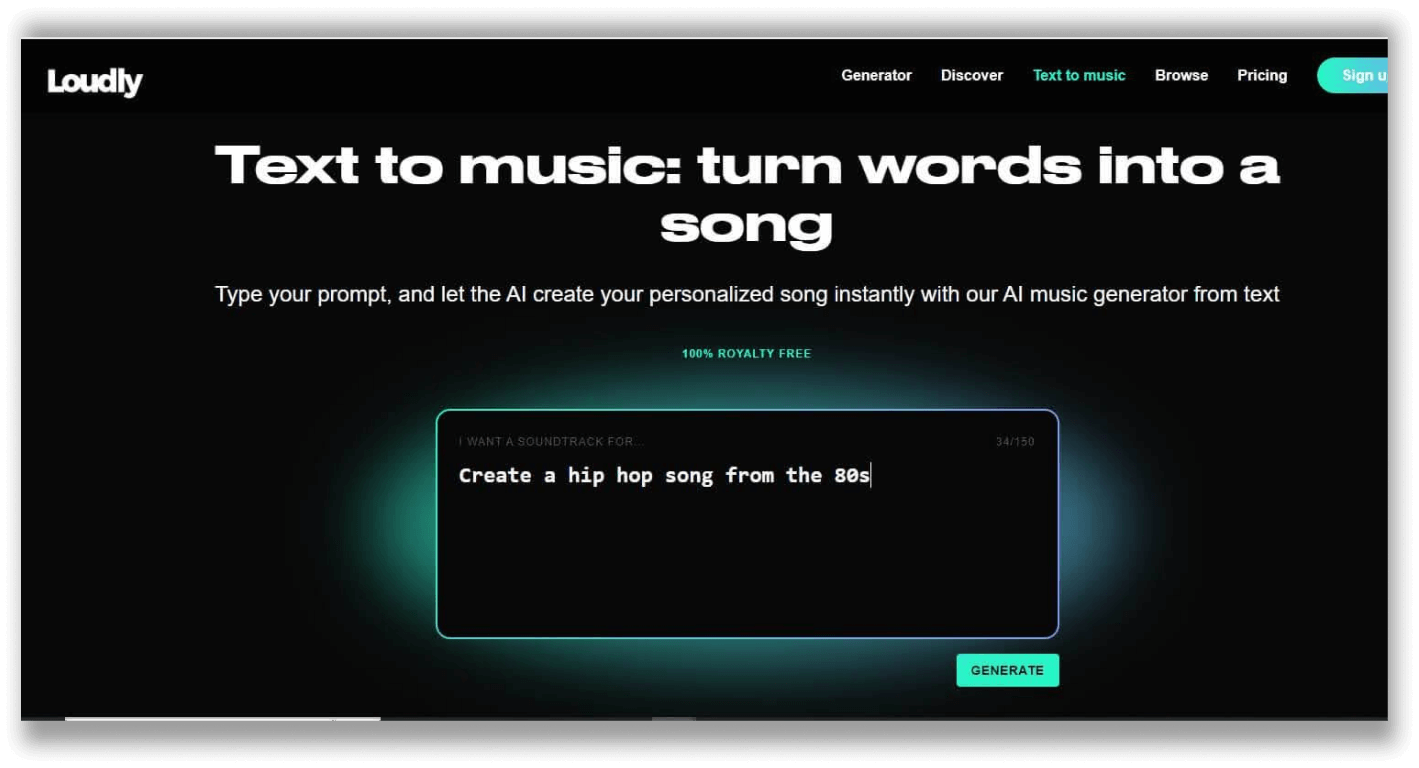
Loudly’s text to music feature allows for the use of prompts

The Good
It has a good set of features for further personalization of the generated audio
It has decent audio quality and is very ideal for background music purposes
The Bad
Generated music is not as accurate as our top pick, but it was pretty close
No feature for generating songs with vocals
The free version limits the song’s length to up to 30 seconds
Pricing
Free: Up to 25 songs per month
Personal: $5.99/month (up to 300 song creations)
Pro: $15.99/month (1,000 song creations)

2Accuracy
+

While Loudly generated an interesting track, it was not accurate to what I was looking to achieve with the prompt I used. What it generated was a more experimental take on hip hop.

3Ease of Use
+

Loudly is easy enough to use, but it feels outdated compared to other platforms on this list. While its workflow follows similar processes to those of others on this list, customization is limited, and the interface feels stiff. It's suitable for generating fast, basic tracks, but not the best choice for detailed music production.

2Audio Quality
+

Loudly creates decent beats and loops that are great for casual or hobby use. The instruments are easy to hear, and the rhythm is solid. However, tracks can feel repetitive, and the overall sound isn’t as polished as professional AI-generated music.

2Value
+

Decent for hobbyists, not great for serious creators. Plans feel limited, output is basic, and the platform offers less music quality and flexibility for the price. Good if you need quick, simple tracks, less so if you want depth, originality, or professional-level results.

3Features
+

Quick beat and loop creation. Simple tweaks for style, tempo, or mood. Focused on hobbyists and casual music creation.


Loudly is another AI tool that deals with music generation. I came across this tool while looking for an alternative to Suno. While not as popular as Suno, with only around 1.3 million monthly visitors, this tool can generate great music that can compete with Suno. 

Loudly has qualities and features that cannot be found with Suno. Compared to Suno, Loudly allows you to customize your generated track. It has tools that help you change the key, tempo, the amount and types of instruments included, and the energy of the song you've generated. You can also blend two genres to add more flavor to your song.
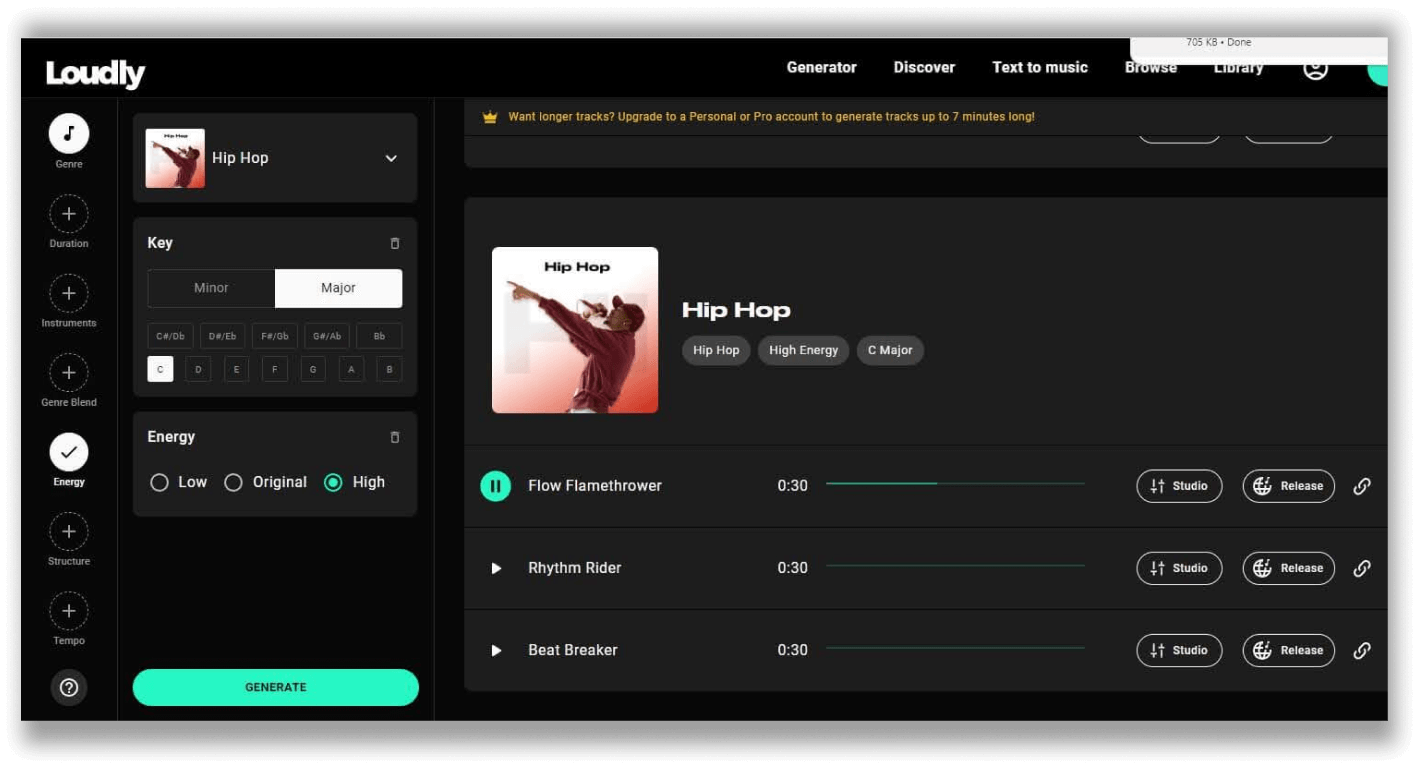
Loudly has features that allows you to personalize the generated song even further

But with it comes the drawbacks, and the most important deal breaker to learn about Loudly is that the text-to-music function of Loudly is not entirely as accurate as Suno's AI, leaving you with generated content that is somewhat close to what the prompt commands but not close enough.

The free version of Loudly is quite generous, as the tools I've mentioned can all be accessed even with its basic plan. But do note that the free version of Loudly limits the length of the songs you generate to a maximum of 30 seconds, so if you're looking to generate tracks longer than that, you should consider subscribing to one of the pricing plans that Loudly offers.

Upon considering this tool's different advantages and disadvantages, Loudly works best in generating background music, making it very usable. 

You can go and check out Loudly through their website.

6. Musicfy.lol

Best for creating sound bites

Listen to the music it generated
Musicfy also features other helpful tools, such as AI voice changers and AI harmonizers
The Good
Works great for generating specific sound bites for your video work (i.e., YouTube videos, TikToks, IG reels, etc)
The Bad
The text-to-music feature of this tool is faulty and didn’t meet the standards set by our top pick
Its free version only allows for generating audio with up to 15 secs of playtime
Pricing
Free: Up to 15 song generations per month (15 seconds max per song)
Starter: $9/month (25 text-to-music generations per month, unlocks song length limit)
Professional: $25/month (100 text-to-music generations per month, unlocks song length limit)
Studio: $70/month (unlimited text-to-music generations, unlocks song length limit)

1Accuracy
+

Musicfy's output was lackluster. It was both inaccurate and unappealing. There was little to no hint of 80s hip-hop in its generated track.

3Ease of Use
+

Musicfy is simple, minimal, and ideal for achieving fast results, especially when converting voice-to-music or covers. But the UI can feel too basic, and some options are buried or unclear.

1Audio Quality
+

Musicfy’s audio often sounds synthetic, and instrumentals are basic and flat. Vocals lack realism, and longer or more complex tracks tend to feel lower quality. It’s not suitable for professional or polished music, making it better only for casual experimentation or rough ideas.

1Value
+

Value depends on expectations. Pricing can be unclear, and the features feel less comprehensive than those of major competitors. It’s fine for casual use, fun voice transformations, fast results, simple workflow, but professionals may feel they get more for their money with Suno, Tempolor, or Eleven Music.

2Features
+

Turns voices or humming into songs. Supports covers, remixes, and melody-based tracks: easy and fun, but limited advanced editing.

The last tool on the list is Musicfy. Much like Loudly, Musicfy is a lesser-known AI tool that features AI music generation. 

Musicfy is mainly known as an AI voice changer tool to help you convert your voice into the likeness of other artists or characters. While having a decent background as a reliable tool for AI voice changing, its AI music generation is quite the opposite. 

My time with Musicfy wasn't as pleasant as the other two tools on this list. I had difficulty generating something that competes with the other tools' generated content on this list. The song I got was far from the instruction I provided. Plus, its free version's restrictions, such as limiting the generated music to up to only 15 seconds, did not help with its case.
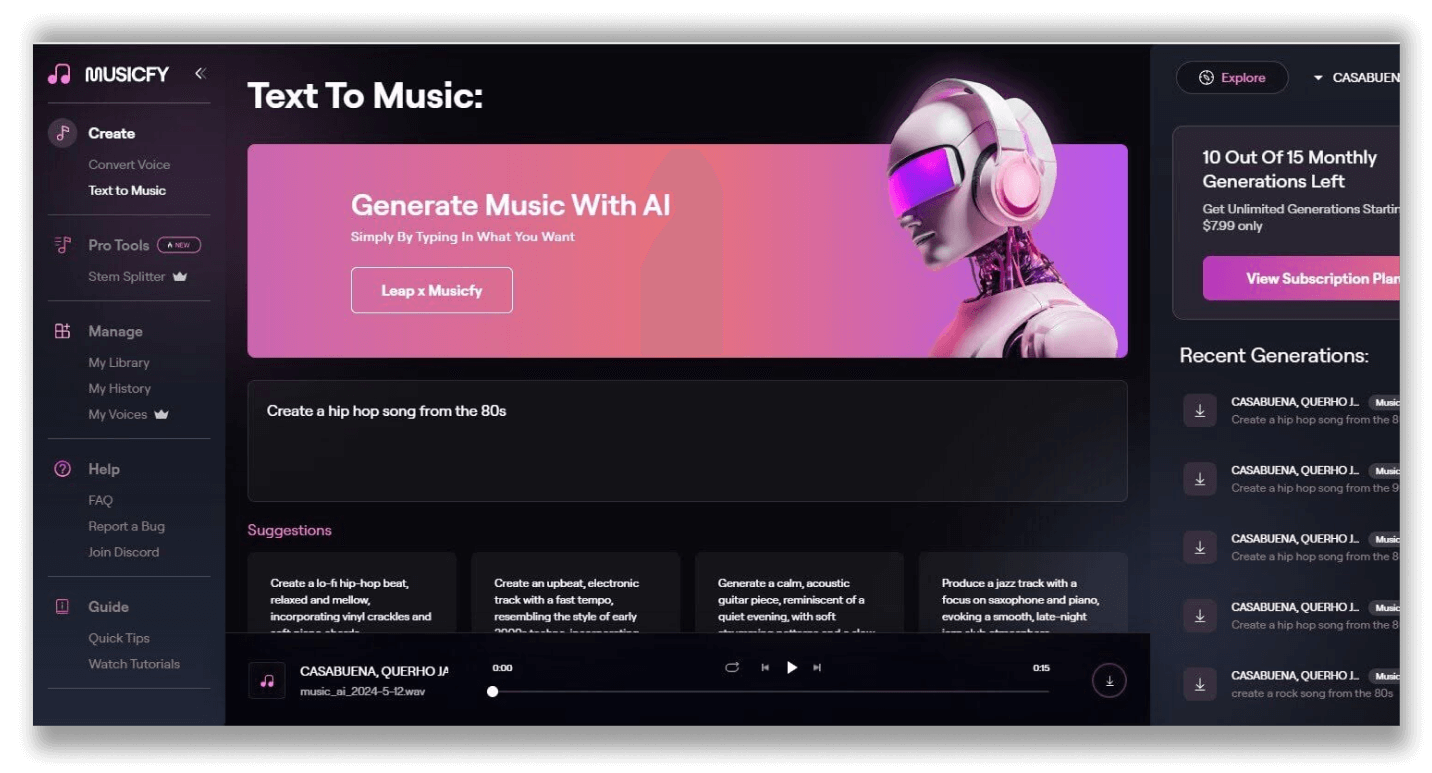
Musicfy also has a text to music feature where you can run your prompts

Musicfy offers longer song lengths if you sign up for a subscription to one of its pricing plans. I'll probably not spend my money with Musicfy for my case since it performed differently than what I expected, which is to create a song that has a similar structure to what I am used to hearing.

Even though my expectations weren't met, I still hope that Musicfy will give more attention to its AI music generator tool and give it its much-needed improvement in later updates. But for now, I recommend just going for other tools on this list.

You can still check out Musicfy and test it through their website.

What's inside

Heading 1

Heading 2

Heading 3

Heading 4

Heading 5
Heading 6

Lorem ipsum dolor sit amet, consectetur adipiscing elit, sed do eiusmod tempor incididunt ut labore et dolore magna aliqua. Ut enim ad minim veniam, quis nostrud exercitation ullamco laboris nisi ut aliquip ex ea commodo consequat. Duis aute irure dolor in reprehenderit in voluptate velit esse cillum dolore eu fugiat nulla pariatur.

Block quote

Ordered list

  1. Item 1
  2. Item 2
  3. Item 3

Unordered list

  • Item A
  • Item B
  • Item C

Text link

Bold text

Emphasis

Superscript

Subscript

Keep reading

See all posts

I recorded and mixed a track to test how LANDR, Waves, eMastered, and BandLab handle real music mastering. Listen to the results and see which tool wins for sound quality, features, and value.

TrueMedia.org’s free deepfake detection tool claims 90% accuracy. Read our review to see how it performs and who should use it.

Sound effects are part of the secret sauce of captivating content—but what if you could cook up your own, instantly? I dove into Eleven Labs new AI sound effects generator to see if it’s all hype or the real deal.

ElevenLabs is our top pick for AI voice cloning. We explore the 5 top AI voice cloning tools that will take your audio content creation to the next level, according to what suits you best.

For most people, Fadr is the best choice for separating vocals from instrumentals with AI. We've tested and reviewed 5 of the most popular AI vocal remover tools to date.

I've tested ChatGPT's NEW image generator to turn yourself into a cartoon. This article shows you 24 different styles you can easily copy including example images and prompts you can use.

🤷🏻‍♂️
No Results Found

Sorry mate, we couldn't find any such plugins.